


Garmin zūmo 595 LM 590LM Replacement Power Button
Garmin zūmo 595 LM 590LM Replacement Power Button
Couldn't load pickup availability
Shipping & Delivery
Shipping & Delivery
Orders are shipped within 36 business hours.
Estimated delivery:
• USA: 7–15 business days (tracking included)
• UK, AU, CA & Western Europe: 15–25 business days
• Russia: 7–15 business days
• Other regions: 20–30 days
Note: International packages may be declared as a gift with a lower value. For more details, check our Shipping Policy.
Warranty Coverage
Warranty Coverage
All products include a 3-month warranty and free lifetime technical support. However, Please note that our warranty covers only defects or quality issues.
Tax Information
Tax Information
Although we have made every effort to prepay taxes on behalf of our customers, certain countries and regions do not permit us to prepay duties (including GST) on your behalf. If you have any questions regarding customs clearance or require assistance in minimizing your tax burden, please contact our online customer support team; we are dedicated to providing you with full assistance.
- Fres Shipping
- Hassle-Free Returns
- 3-month Warranty


Product Description
Product Overview
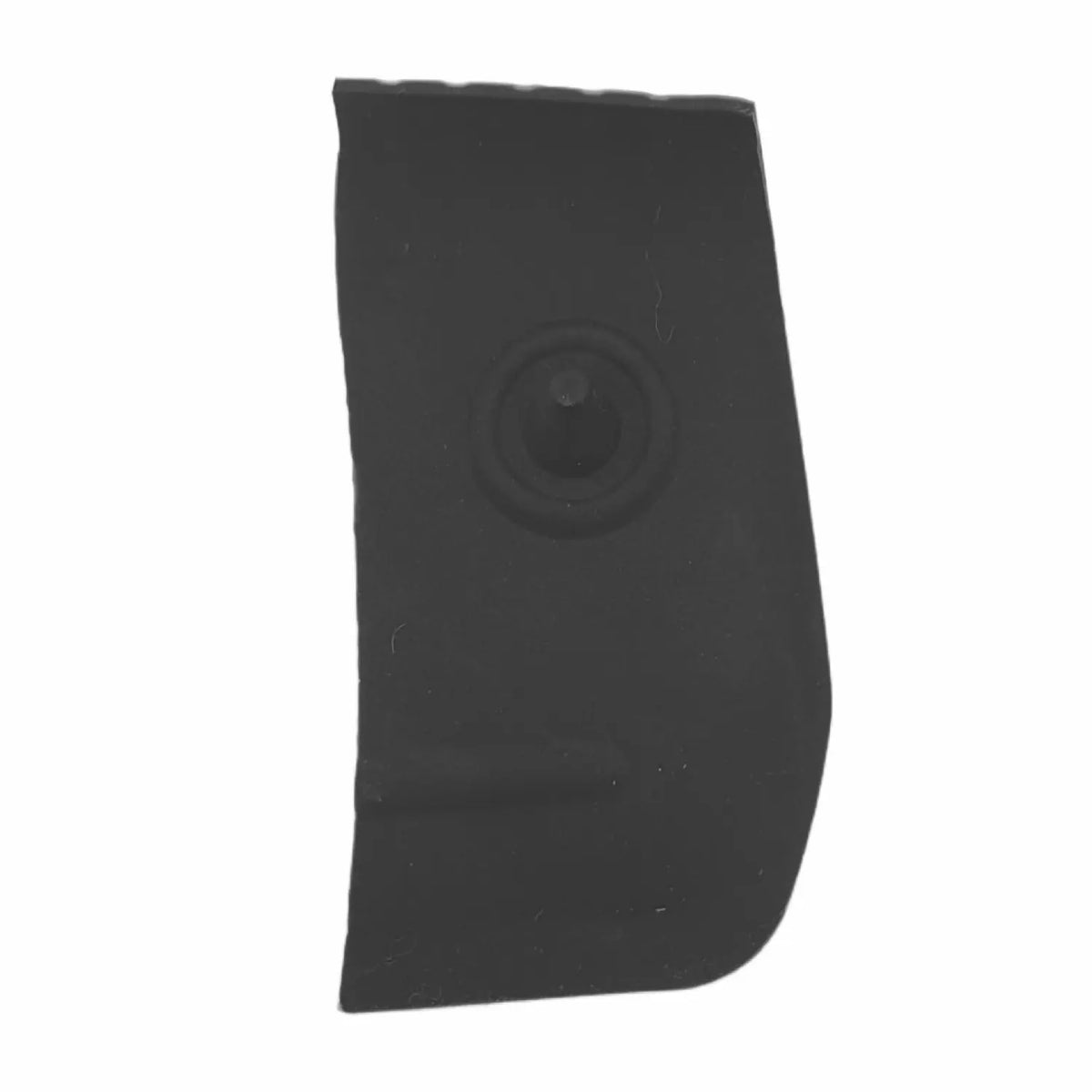
This is an aftermarket compatible rubber power button for the Garmin zūmo 590LM and 595LM motorcycle GPS navigators, which share the same housing and button design. It is intended for riders whose original power button has aged, cracked, or fallen off — a widely reported and well-known failure point on this device generation, since the button is part of the rubberized housing skin and also seals the internal switch against water. Installation requires cutting away the old rubber layer and bonding the new button in place with adhesive; it is not a simple press-fit part.
Compatibility
Compatible:
- Garmin zūmo 590LM
- Garmin zūmo 595LM
- Garmin zūmo 590
- Garmin zūmo 595
These models share the same front housing design and power button, based on consistent listings from multiple aftermarket parts suppliers.
Not confirmed:
- Garmin zūmo 396 LMT-S (a different, later housing generation)
- Garmin zūmo 340LM / 345LM / 350LM / 390LM / 395LM (an earlier zūmo series with a similarly-functioning but differently-sized rubber button — not confirmed interchangeable)
- Garmin zūmo XT / XT2 (newer product line with a different housing design)
Confirm your exact model before ordering. If your model isn't listed above, do not assume the button will fit, even if the general design looks similar.
Common Replacement Scenarios
This part is typically needed when:
- The rubber power button has cracked, hardened, or broken off entirely, sometimes leaving an open gap into the housing
- The button has visibly shifted out of its recess or won't stay in place
- The device is no longer sealing properly at the power button, raising water-resistance concerns
- The button feels loose, mushy, or fails to register presses reliably despite the internal switch still working
Key Features
- Aftermarket compatible rubber power button — not a genuine Garmin part
- Designed to match the original button's size and mounting position on the shared zūmo 590/595 housing
- Intended to restore a proper physical and weatherproof seal over the internal power switch
- Standalone button only — does not include the surrounding rubber front housing or internal switch
Specifications
| Specification | Detail |
|---|---|
| Compatible Models | Garmin zūmo 590LM, 595LM, 590, 595 |
| Part Type | Rubber Power Button (standalone) |
| Condition | New, aftermarket compatible |
| Material | Flexible rubber |
| Includes Front Housing | No — button only |
| Includes Internal Switch | No |
| Installation Method | Adhesive bonding (not press-fit) |
Installation Notes
The front of the device housing is built from a plastic base with a rubber layer bonded on top, and the power button is part of that rubber layer. Installation is not a simple snap-in replacement:
- Remove the battery and clean the case, keeping it dry throughout the process.
- Use a knife to carefully cut through the old rubber layer around the button.
- Peel away the old rubber layer from the plastic button base using a plastic tool, taking care not to damage the base underneath.
- Clean the exposed surface with isopropyl or ethyl alcohol.
- Apply a suitable adhesive (a cyanoacrylate-based adhesive with a compatible primer is commonly used for this type of rubber-to-plastic bond) evenly across the prepared surface.
- Press the new button firmly into place and allow the adhesive to cure fully — typically 24 hours — before use.
Because this repair involves cutting near the device housing and bonding a part responsible for water sealing, take care during removal not to damage the underlying plastic base, and ensure the adhesive fully cures before exposing the device to moisture. Note that Garmin has reportedly discontinued repair services and replacement parts for this specific issue, which is part of why aftermarket buttons like this one exist.
What Is Included
- 1x replacement rubber power button (aftermarket compatible)
- Front housing: not included
- Internal switch: not included
- Adhesive: not included — source a suitable rubber-to-plastic adhesive separately
Buying Checklist
- Confirm your device is one of: zūmo 590LM, 595LM, 590, or 595
- Understand that installation requires cutting off the old button and bonding the new one with adhesive — this is not a press-fit repair
- Check that the internal mechanical switch beneath the button still functions — a new button will not fix a failed internal switch
- Source a suitable adhesive and primer separately if not included with your order
- Allow full adhesive cure time before using the device outdoors or in wet conditions
FAQ
Q: My power button shifted out of place or fell off — is this a known issue on the 590/595?
A: Yes, this is a widely reported issue. One owner described the rubber power button on their 590LM shifting out of position and no longer staying in place, tracing it to an O-ring around the button working loose over time. Another confirmed with a repair specialist that the button is part of the rubberized housing skin, which ages, dries out, and eventually cracks or breaks off.
Source: Zumo User Forums — 590 Rubber Power Button Failed
Q: My button broke off completely, leaving a hole in the case — is that repairable?
A: Some owners have reported exactly this. In one case, the rubber-encased on/off button on a 590 broke off entirely after about four years, leaving an open gap into the unit's internals, which required a case-level fix rather than a simple button swap.
Source: FJR Owners Forum — Zumo 590 on/off button broke?
Q: Does Garmin still sell or repair this part directly?
A: According to multiple forum reports, Garmin no longer offers this specific part or repair service for the 590/595 power button, which is part of why aftermarket replacement buttons like this one are commonly sought out instead.
Source: FJR Owners Forum — Zumo 590 on/off button broke?; Zumo User Forums — 590 Rubber Power Button Failed
Q: Is this a simple snap-in replacement?
A: No. Aftermarket suppliers describe the same installation process for this button: cutting through the old rubber layer, peeling it off the plastic base, cleaning the surface, applying adhesive, and pressing the new button into place before letting it cure for about 24 hours.
Source: gFixer — Rubber Power Button for Garmin Zumo 590LM
Q: Will replacing the button fix a device that won't turn on at all?
A: Not necessarily. If the internal mechanical switch beneath the button has failed — rather than just the rubber cover — a new button alone won't restore power-on function. Confirm the internal switch still responds before ordering.
Q: What should I check before ordering?
A: Confirm your exact model is one of the four listed (590LM, 595LM, 590, 595), plan for an adhesive-based installation rather than a press-fit, and source a compatible adhesive separately if one isn't included.
Package Include
- Repair parts are shown in the picture.
Product Inspection
- Display Screen Check
- Cable Connection Check
- Frame Waterproof Test
- Contact Oxidation Inspection
Ensure it arrives safely
We will first wrap your spare parts in bubble wrap, then put them in a cardboard box, and finally secure them with tape.

You May Curious About
Our replacement parts for Garmin are original / OEM (original or original pull-off).
Huayuxt will specify in the title which Garmin product model this repair part is suitable for. If you still have questions, you can contact our online customer service directly, and our professional customer service team will answer your questions.
We offer unlimited free remote video guidance to customers who purchase repair parts from our website, and paid guidance to other customers. However, our website has a wealth of free repair blogs and videos to help you solve most repair problems.
Although we invest significant effort into our products, we understand that you may sometimes regret your purchase or accidentally buy items you no longer need. Huayuxt offers a convenient return policy and is committed to finding solutions that are beneficial for both parties. Please review the return policy.
We typically offer a three-month warranty on our products. During this period, if any quality issues arise, we will replace the repair parts free of charge.
If you need to purchase a large quantity of items at one time, please contact me first. I will offer you highly competitive wholesale prices.
We will ship your order within 36 hours of you placing it and provide you with a tracking number and website for inquiry.