


Garmin inReach+ Front Cover Frame Housing Shell With Button
Garmin inReach+ Front Cover Frame Housing Shell With Button
Couldn't load pickup availability
Credit Card Payment
Credit Card Payment
You can pay via credit card using PayPal. Simply click the "Pay with PayPal" button and then select the credit card payment option.
If you are unable to proceed, please click the icon at the bottom right of the website to contact our online customer service. Click here for the text-based credit card payment tutorial
Shipping & Delivery
Shipping & Delivery
Orders are shipped within 36 business hours.
Estimated delivery:
• USA: 7–15 business days (tracking included)
• UK, AU, CA & Western Europe: 15–25 business days
• Russia: 7–15 business days
• Other regions: 20–30 days
Note: International packages may be declared as a gift with a lower value. For more details, check our Shipping Policy.
Warranty Coverage
Warranty Coverage
All products include a 3-month warranty and free lifetime technical support. However, Please note that our warranty covers only defects or quality issues.
Tax Information
Tax Information
Although we have made every effort to prepay taxes on behalf of our customers, certain countries and regions do not permit us to prepay duties (including GST) on your behalf. If you have any questions regarding customs clearance or require assistance in minimizing your tax burden, please contact our online customer support team; we are dedicated to providing you with full assistance.
- Fres Shipping
- Hassle-Free Returns
- 3-month Warranty


Product Description
Product Overview
This listing offers individual replacement front cover frame/housing components for the Garmin inReach SE+ satellite communicator. Select the specific part you need from the dropdown — three component options are available, each priced and stocked separately.
Entity summary:
- Brand: Garmin
- Product family: inReach series
- Exact model: inReach SE+
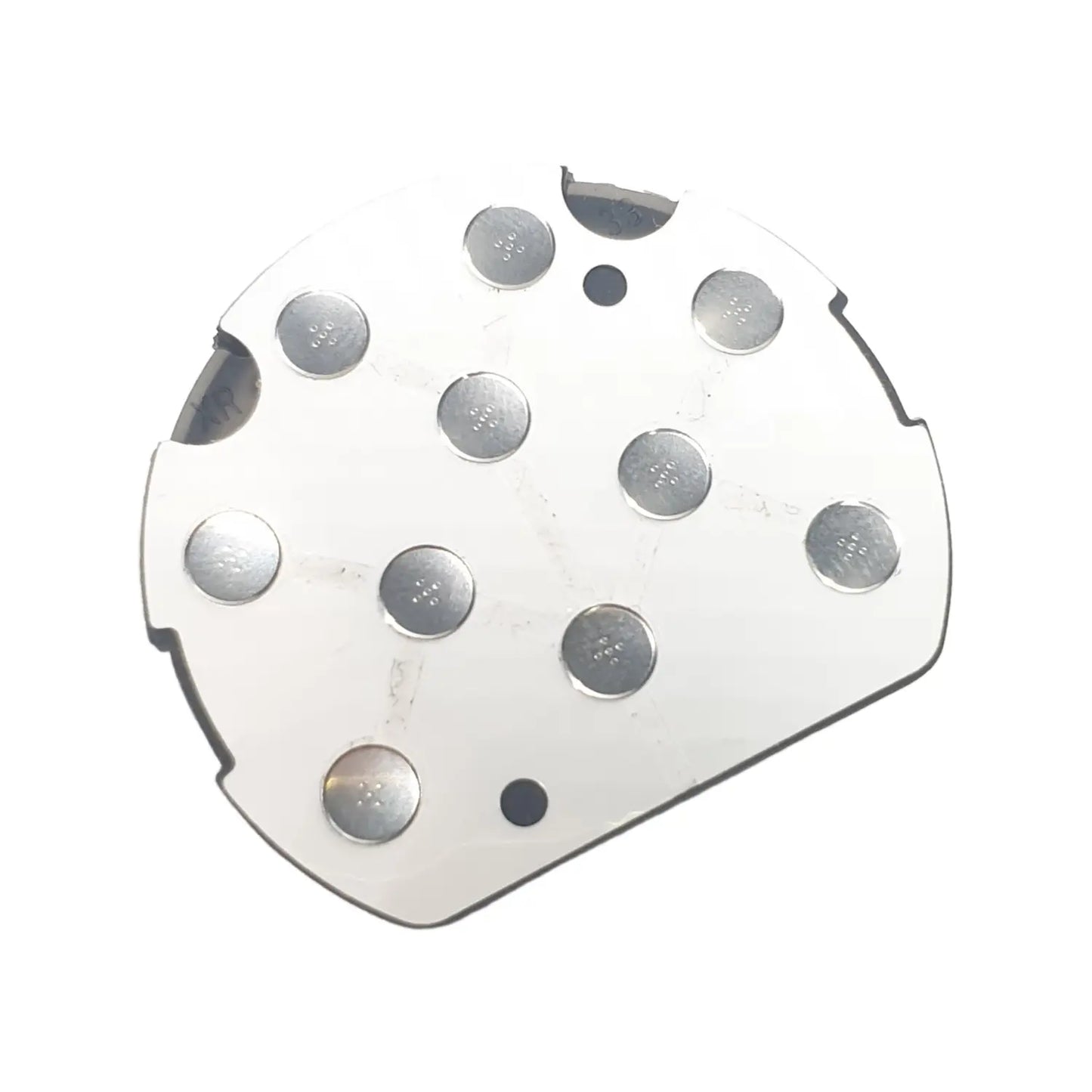
- Part types available: Complete Frame Cover Case / Frame Cover Case No Button / Button (sold separately)
- Device type: Satellite communicator / GPS messenger
Compatibility
Confirmed compatible:
- Garmin inReach SE+
Not confirmed — do not assume compatibility:
- Garmin inReach Explorer+ (different product line — Explorer+ adds TOPO mapping, compass, and barometric altimeter, and its front housing is not confirmed identical to the SE+).
- Garmin inReach Explorer or SE (original, non-Plus models), inReach Mini/Mini 2, or GPSMAP 66i. These use different housing designs. Confirm your exact model before ordering.
Which Part Do You Need?
Complete Frame Cover Case — $60.00 (200 in stock)
The full front cover frame/housing shell, including the button. Order this if your entire front housing is cracked, broken, or missing.
Frame Cover Case No Button — $40.00 (200 in stock)
The front cover frame/housing shell only, without the button. Order this if you already have a functional button and only need to replace the housing shell itself.
Button — $20.00 (200 in stock)
The button component only. Order this if your housing is intact but the physical button is broken, stuck, or missing.
(Total combined stock across all three parts: 600 units available.)
Common Replacement Scenarios
This part is typically ordered to replace an original front housing showing:
- Cracked or broken front frame/housing
- Missing or damaged physical button
- Cosmetic damage from drops or long-term outdoor use
- Button that is stuck, unresponsive, or has fallen out
Key Features
- Three individual repair parts, sold separately by component
- New condition parts
- Flexibility to replace just the housing, just the button, or both together
- Designed to match the original inReach SE+ housing
- In stock and available to ship
Specifications
| Part | Condition | Price | Stock |
|---|---|---|---|
| Complete Frame Cover Case | New | $60.00 | 200 |
| Frame Cover Case No Button | New | $40.00 | 200 |
| Button | New | $20.00 | 200 |
Installation Notes
Replacing the front frame/housing on an inReach SE+ involves opening the sealed housing and carefully separating the front cover from the rest of the unit, which may involve disconnecting the button's internal connection if applicable. The original unit carries an IPX7 water rating, so careful reassembly is needed to avoid compromising water resistance. Professional installation is recommended if you're not comfortable with this type of repair. We do not provide detailed disassembly steps here, as incorrect handling can permanently damage the unit.
What's Included
- Complete Frame Cover Case: 1x front frame/housing shell with button installed
- Frame Cover Case No Button: 1x front frame/housing shell (button not included)
- Button: 1x button component only
Installation Tutorial
Step-by-step guide (adapted from Garmin inReach Explorer+ official iFixit teardown — SE+ shares the same chassis design; steps expected to be similar but not confirmed identical)
Tools needed: TR6 Torx Security screwdriver, T5 Torx screwdriver, nylon spudger/opening tool
Before you begin: Power off the device completely and disconnect it from any power source. Inspect for signs of a swollen battery or shattered glass before proceeding — do not disassemble if either is present.
- Remove the back cover screws. Using a TR6 Torx Security screwdriver, remove the six screws (10 mm) from the back cover of the device.
- Remove the back cover. Carefully lift the back cover away from the device body.
- Disconnect the battery. Gently grasp the battery wire connector and disconnect it from the motherboard before proceeding further — this prevents any risk of a short circuit or accidental power-on during the repair.
- Remove the battery. Lift the battery out of its compartment.
- Access the motherboard. Using a T5 Torx screwdriver, remove the six screws (6 mm) securing the motherboard.
- Disconnect the front cover/button pad connection. With the motherboard exposed, use a nylon spudger to gently lift the connector flap linking the front housing/button pad to the motherboard. Avoid using metal tools here, as they can damage the delicate connector.
- Remove the front cover frame. With all connections released, carefully separate the front cover frame (and button, if replacing as a complete assembly) from the rest of the device.
-
Install the replacement part. Depending on which option you ordered:
- Complete Frame Cover Case: position the new frame with button already installed, and reconnect the button pad connector to the motherboard.
- Frame Cover Case No Button: transfer your original, still-functional button into the new frame before reconnecting.
- Button only: remove just the old button from your existing frame and install the new one in its place.
- Reassemble in reverse order. Reattach the motherboard screws, reconnect the battery, replace the back cover, and reinstall the six back cover screws.
- Test before full reassembly. Power on the device briefly to confirm the button responds correctly before fully closing the housing, in case any connector needs to be reseated.
Package Include
- Repair parts are shown in the picture.
Product Inspection
- Display Screen Check
- Cable Connection Check
- Frame Waterproof Test
- Contact Oxidation Inspection
Ensure it arrives safely
We will first wrap your spare parts in bubble wrap, then put them in a cardboard box, and finally secure them with tape.

You May Curious About
Our replacement parts for Garmin are original / OEM (original or original pull-off).
Huayuxt will specify in the title which Garmin product model this repair part is suitable for. If you still have questions, you can contact our online customer service directly, and our professional customer service team will answer your questions.
We offer unlimited free remote video guidance to customers who purchase repair parts from our website, and paid guidance to other customers. However, our website has a wealth of free repair blogs and videos to help you solve most repair problems.
Although we invest significant effort into our products, we understand that you may sometimes regret your purchase or accidentally buy items you no longer need. Huayuxt offers a convenient return policy and is committed to finding solutions that are beneficial for both parties. Please review the return policy.
We typically offer a three-month warranty on our products. During this period, if any quality issues arise, we will replace the repair parts free of charge.
If you need to purchase a large quantity of items at one time, please contact me first. I will offer you highly competitive wholesale prices.
We will ship your order within 36 hours of you placing it and provide you with a tracking number and website for inquiry.