


Garmin Drive 60LM LCD Touch Screen Display
Garmin Drive 60LM LCD Touch Screen Display
Couldn't load pickup availability
Shipping & Delivery
Shipping & Delivery
Orders are shipped within 36 business hours.
Estimated delivery:
• USA: 7–15 business days (tracking included)
• UK, AU, CA & Western Europe: 15–25 business days
• Russia: 7–15 business days
• Other regions: 20–30 days
Note: International packages may be declared as a gift with a lower value. For more details, check our Shipping Policy.
Warranty Coverage
Warranty Coverage
All products include a 3-month warranty and free lifetime technical support. However, Please note that our warranty covers only defects or quality issues.
Tax Information
Tax Information
Although we have made every effort to prepay taxes on behalf of our customers, certain countries and regions do not permit us to prepay duties (including GST) on your behalf. If you have any questions regarding customs clearance or require assistance in minimizing your tax burden, please contact our online customer support team; we are dedicated to providing you with full assistance.
- Fres Shipping
- Hassle-Free Returns
- 3-month Warranty

Product Description
Product Overview
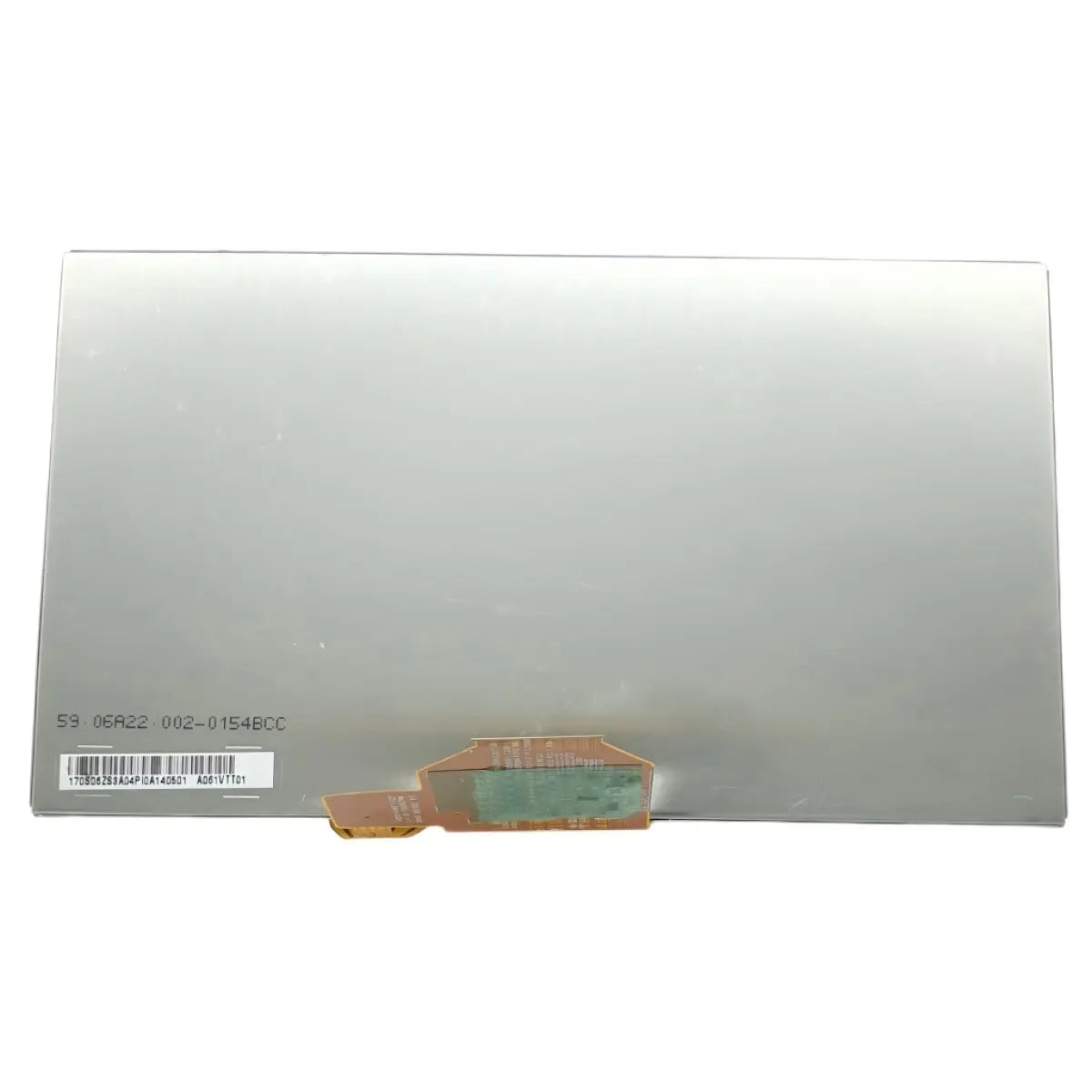
This is a genuine OEM pull LCD touch screen display, removed from an original Garmin Drive 60LM unit. It is a screen-only part — it does not include the outer frame or adhesive. It is intended for users replacing a cracked, unresponsive, or otherwise damaged display on their Garmin Drive 60LM unit.
Compatibility
Compatible:
- Garmin Drive 60LM (part number 010-01533-07)
Not confirmed:
- Garmin Drive 60LMT / Drive 60 (traffic-enabled variants — similar 6.0"–6.1" / 800x480 display reported, but not independently confirmed for parts interchangeability)
- Garmin DriveSmart 60 / DriveSmart 60LMT (separate product line, despite similar screen size/resolution)
- Other Drive series 60-series models
Garmin's 60-series lineup includes several closely related models (Drive 60LM, Drive 60LMT, Drive 60, DriveSmart 60, DriveSmart 60LMT). These share a similar 6.0"–6.1" dual-orientation display, but internal hardware and connectors are not guaranteed to match across product lines. Confirm the exact model printed on the back of your device — Drive 60LM, part number 010-01533-07 — before ordering.
Common Replacement Scenarios
This part is typically needed when the original display shows:
- Cracked or shattered glass
- Unresponsive or partially unresponsive touchscreen
- Dead pixels or display artifacts
- No image / black screen despite the unit powering on
- Discoloration, flickering, or abnormal display output
Key Features
- Genuine OEM pull — sourced from an original Garmin Drive 60LM unit, not aftermarket
- Combined LCD panel and touch digitizer layer
- Screen only — does not include outer frame/bezel
- Does not include adhesive; adhesive should be sourced separately for reassembly
- Matches original display specification: 6.1" diagonal, 800 x 480 resolution, dual-orientation touchscreen
Specifications
| Specification | Detail |
|---|---|
| Compatible Model | Garmin Drive 60LM (010-01533-07) |
| Part Type | LCD Touch Screen (OEM Pull) |
| Condition | Genuine disassembled / pulled part |
| Display Size | 6.1" diagonal |
| Display Resolution | 800 x 480 pixels |
| Display Type | Multi-touch, dual-orientation, color TFT |
| Frame/Bezel Included | No |
| Adhesive Included | No |
| Connector Type | Not specified — please confirm before ordering |
Installation Notes
Replacing this component involves opening the device housing and disconnecting the internal flex cable that links the screen to the mainboard. A T4 Torx screwdriver, a metal spudger, and a plastic spudger are typically needed for disassembly. Since this screen does not include a frame or adhesive, reassembly requires separately sourced adhesive and reuse of the original frame. After installation, screen calibration is normally required — this is done by restarting the device, then applying pressure to the upper-left corner of the screen for about 10 seconds until the calibration screen appears. This repair involves delicate flex connectors and precise reassembly, so professional installation or prior repair experience is recommended.
What Is Included
- 1x Garmin Drive 60LM LCD touch screen display (OEM pull)
- Frame/bezel: not included
- Adhesive: not included
Buying Checklist
- Confirm your device is the Garmin Drive 60LM (part number 010-01533-07), not Drive 60LMT, Drive 60, or DriveSmart 60/60LMT
- Note that this listing is screen-only — reuse your original frame and source adhesive separately
- Compare the connector position and flex cable orientation with your original screen before ordering
- Confirm whether professional installation is required for your comfort level
- Plan to recalibrate the touchscreen after installation
FAQ
Q: My screen is cracked or shows display problems after being dropped — will a new screen fix it?
A: Yes, typically. A damaged screen resulting from dropping or cracking commonly causes display issues, and replacing the screen resolves this in most cases. However, if the LED backlight beneath the screen is also damaged, or if the digitizer has become disconnected from the motherboard, those issues would need to be addressed separately.
Source: iFixit — Garmin Drive 60LM Troubleshooting
Q: My device was exposed to liquid and now the screen doesn't work — will replacing the screen fix it?
A: Not necessarily. If the digitizer was exposed to liquid, the motherboard itself may need to be replaced rather than just the screen, since liquid damage often affects components beyond the display.
Source: iFixit — Garmin Drive 60LM Troubleshooting
Q: Do I need to calibrate the new screen after installing it?
A: Yes. After restarting the device, apply pressure to the upper-left corner of the screen for about 10 seconds. The calibration screen should appear, allowing you to tap several points to correctly calibrate touch input. If problems persist, repeat this process.
Source: iFixit — Garmin Drive 60LM Troubleshooting
Q: What tools do I need to replace the screen myself?
A: According to the official repair guide, replacing the screen requires a T4 Torx screwdriver, a metal spudger, and a plastic spudger, in addition to the replacement screen itself.
Source: iFixit — Garmin Drive 60LM Screen Replacement Guide
Q: Does installation require professional repair skills?
A: Yes. The repair involves device disassembly, flex cable connection, reusing your original frame, and touch calibration afterward, so professional installation or prior repair experience is recommended to avoid damaging the connector.
Q: What should I check before ordering?
A: Confirm the exact model and part number (Garmin Drive 60LM, 010-01533-07, not Drive 60LMT or DriveSmart 60), compare your original screen's connector, and plan to source adhesive separately since it is not included.
Package Include
- Repair parts are shown in the picture.
Product Inspection
- Display Screen Check
- Cable Connection Check
- Frame Waterproof Test
- Contact Oxidation Inspection
Ensure it arrives safely
We will first wrap your spare parts in bubble wrap, then put them in a cardboard box, and finally secure them with tape.

You May Curious About
Our replacement parts for Garmin are original / OEM (original or original pull-off).
Huayuxt will specify in the title which Garmin product model this repair part is suitable for. If you still have questions, you can contact our online customer service directly, and our professional customer service team will answer your questions.
We offer unlimited free remote video guidance to customers who purchase repair parts from our website, and paid guidance to other customers. However, our website has a wealth of free repair blogs and videos to help you solve most repair problems.
Although we invest significant effort into our products, we understand that you may sometimes regret your purchase or accidentally buy items you no longer need. Huayuxt offers a convenient return policy and is committed to finding solutions that are beneficial for both parties. Please review the return policy.
We typically offer a three-month warranty on our products. During this period, if any quality issues arise, we will replace the repair parts free of charge.
If you need to purchase a large quantity of items at one time, please contact me first. I will offer you highly competitive wholesale prices.
We will ship your order within 36 hours of you placing it and provide you with a tracking number and website for inquiry.